
Structured Hat vs Single Needle Embroidery Machine
Most embroidery on curved/shaped hats are created with a multi-needle machine. These are machines  where the hat is able to be worked inside of a curved hoop. As a single needle machine owner who does not want to shell out thousands of dollars it is time to test if it is absolutely necessary. Although I have seen some single needle embroidery done on a hat before they have been structured. Since a structured hat is more difficult, why not try it out. 

This was a project that was requested by my sister, but I was honestly not sure it would even be possible. As if the odds were not already stacked against me, she wanted to use a Major League Baseball hat. Any sports fans/ hat enthusiast will know that these are a pretty penny ($50+). In any other circumstance I recommend testing out stitches and files prior to stitching on the final product. There was not enough time to test stitch out these files nor did I wish to purchase yet another structured hat. Here is the mockup I was provided to use as a reference. 

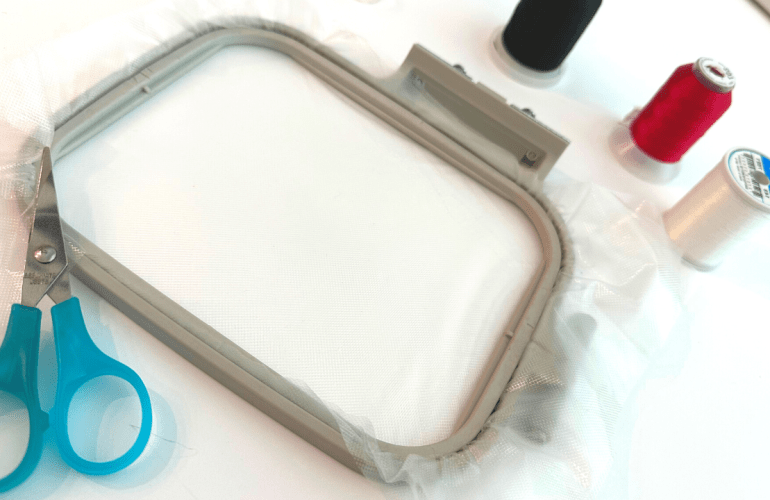
Obviously, using the float method is essential to success as this type of hat cannot be completely flattened. The stabilizer I decided to go with was multiple layers for water soluble stabilizer so that there would not be any remnants left behind. Online’s recommendation is to use tear away stabilizer for hats but I did not have any on hand. That being said I did not have any major issues with the water soluble stabilizer. The main concern was that the stabilizer would be too fragile and break while stitching but it is surprisingly very sturdy. 

Some advice I would like to give is to stay wary of the frame lines on the hat, this was not possible for the desired design but is something to consider as it is harder on the hat as it is hardest to manipulate at those points. Another thing I would like to provide caution on is the larger emblem: while it embroidered well, it did leave a lot of bulk on the underside of the hat. If I get a request to embroider on a hat again, next time a patch would stitch out easier, safer and provide a cleaner finish overall. Although this is not a project I enjoyed creating I will say it did turn out rather nice. The main reason I would not want to redo this project is that just looking at it makes my fingers cramp up. To see the this project in action watch the video below. 

Essentials for this Project:

Starter Embroidery Thread Kithttps://amzn.to/4fq7PKR

Black/ White Embroidery Threadhttps://amzn.to/458XWxB

Bobbins in Bulkhttps://amzn.to/4ow8D4Y

Water Soluble Stabilizerhttps://amzn.to/4lohtil

Curved Embroidery Scissorshttps://amzn.to/3J8xn2N

Quilting Yellow Pinshttps://amzn.to/4pvOqfp

Sewing Pins Blackhttps://amzn.to/3M1g2u4

Similar Embroidery Machinehttps://amzn.to/4oFIvVo

Sewing Cabinethttps://amzn.to/4p9pAS7

*I do get a small commission from Amazon if you decide to purchase one of the items using the links above.

How do you think I did?

XOXO Faith

Enlarge your Embroidery Machine Field | Multi-Position Hooping

Feeling like you’ve picked the wrong embroidery machine and contemplating purchasing a new one? Before paying out hundreds of dollars if not thousands on a new machine, try a multi-position hoop. Out growing a machine sucks but thankfully there are ways to hack the system to go beyond the hoop’s limitations. 

Although using a multi-position hoop is not 100% free, it is a whole lot cheaper than a new machine. There are two things required for multi-position embroidery, software and a specific hoop. The software I chose is called Embrilliance Essentials, which cost $149.95. Multi-position hoops can be found on Amazon in sets or singles for around $15.99. These hoops have four notches rather than the standard two. 

Bulk Embroidery Tips & Tricks | Brother PE550d

When I first purchased my machine I always hoped to one day fulfill orders, never did I think of doing bulk orders though. While I am still a new seller I have done a few bulk orders and learned a lot along the way on tips and tricks to ease the process. Creating an assembly line or doing one step for all items is usually the first tip that comes to mind when working in bulk. I do not do this with embroidery that is customized with the exception of when I create name designs with the computer software and when Tender Touching, I will do those all at the same time. Working while the machine is also working is a good hack as it is like two people working at once: you can trim jump stitches on one sweater while the next sweater is being stitched out for instance. 

Water Soluble  Embroidery | No Fabric Needed

When it comes to embroidery it is assumed that fabric is involved. The mere definition of embroidery is to embellish a cloth. While it may seem possible when thinking in the scope of patch projects they too are usually created on a fabric base. Upon starting my journey with the Brother PE550d machine I noticed that a couple ofthe designs in the guides contained designs that were as “free” designs. In other words the base is water soluble and thus will disappear after it is created.  

My First Time | Machine Embroidery Patches

When looking at machines one of the things I expected to learn how to sell was patches. That was of course before knowing anything about patches and the process honestly seemed pretty intimidating. Plus there are not many tutorials out there for creating machine embroidery patches. There are the patches that you have the border for and ones that free float. Due to the complexity of a bordered patch I decided it would be more useful to try a free float. What I mean by free float is simply that the patch is made on an alternate material that will be trimmed to size. For this type of patch I used felt since it is a webbed fiber meaning it will not fray when it is cut. Perhaps in the future I will try my hand at creating a bordered patch that is not 100% file form created to test further, but for now I hope you enjoy this first time video and find it helpful for your own projects.

Embroidery Machine Bobbin Tension | PE550D

Yet another thing I wish I knew prior to starting embroidery is that ability to adjust the machine’s tension. Embroidery machines have two different tensions to set and each one will vary from machine to machine. For instance, just because I have my tensions set to a certain number does not mean it will have the same effect for another machine. My biggest piece of advice when it comes to adjusting the tension is to take a deep breath, grab a relaxing tea or cocoa, take out a notebook and realize that it will take awhile. 

Beginner Machine Embroidery Tutorials & Tips

A little over a year ago I unboxed my first embroidery machine and have been sharing my frustrations ever since. Don’t get me wrong, I LOVE my embroidery machine. I am simply stating that now I finally feel that I have somewhat mastered the machine. The first few times I used the machine I was nervous to do basically anything but now it’s more of an after thought / fun to create. 

Embroidery Applique Tips

While I have created an appliqué post before of my first time creating one I thought it was time to share what I have learned thus far to help those who are also learning embroidery. Appliqués can be intimidating so just like any other file the first tip is to test and take notes on the file. Notes can be  for referring to the color numbers used, if there is a trace layer and if there are steps you would prefer to skip to leave out a specific detail of the design. These will make the process run smoothly without ruining finished projects.

My First Time | Minky Fabric

Texture is one of the first things that can make or break a design. The weight and stretch ability can create a comfy textile all while creating a sewing nightmare. It was not until recently when I sewed minky fabric for the first time that I realized we would have a love hate relationship. If you have ever touched pinky it is a luxurious plush with either a dot texture, a cute design or solid. Basically it is a cuddler’s dream and quite popular in the baby industry. 

My First Time: Appliqué Edition Brother PE550d

Back with another requested video on how to create an appliqué on the Brother PE550d machine. For this tutorial I did not practice or do a prior attempt, this is in fact footage of my first time trying to create an appliqué. The hardest part of creating an appliqué in my opinion is finding a file with the correct format. In order to create a “proper” appliqué the file needs to have three layers.